Video Tutorials
The Fastest Way to Get Your Website Indexed in 2026
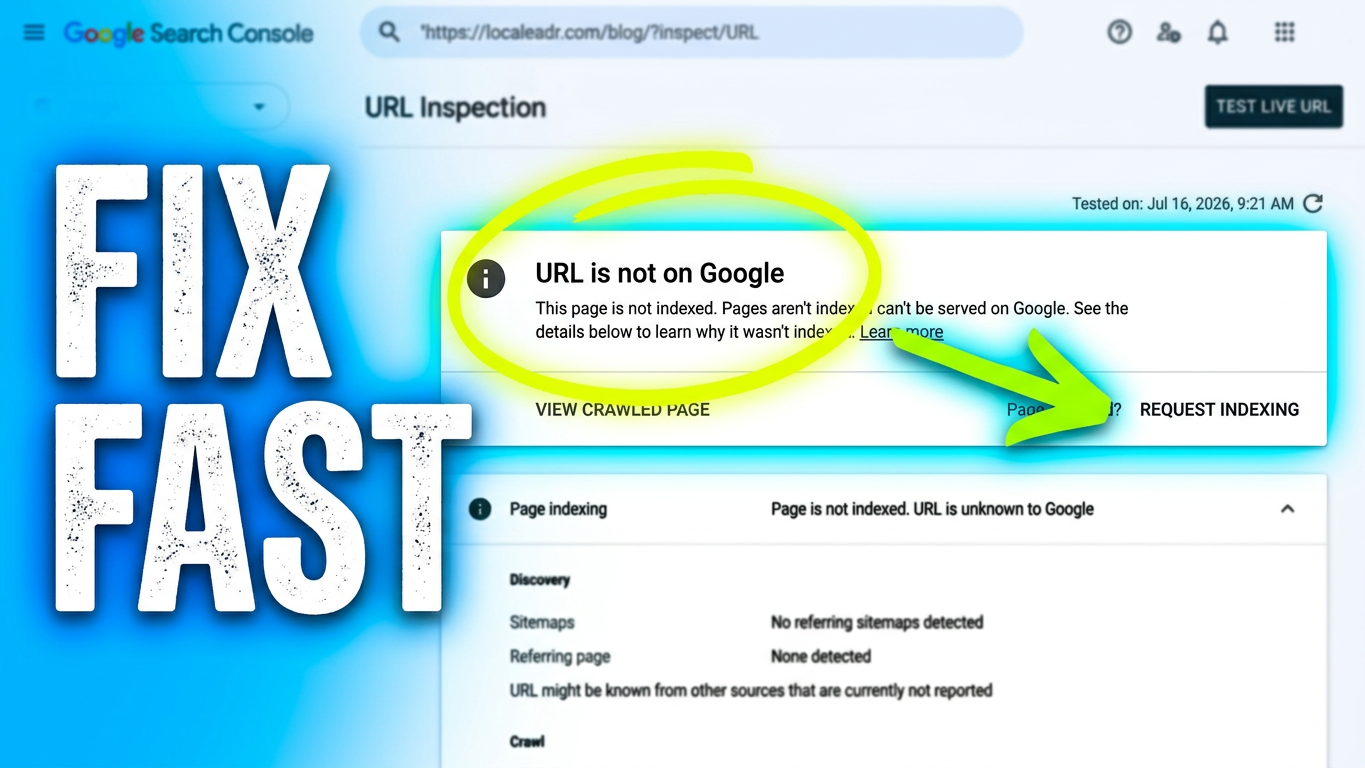
If you\'ve ever published a new page or updated an old one and then spent days refreshing Google, waiting for it to show up, you already know the problem: Google doesn\'t crawl your site the second you hit publish. It crawls on its own schedule, based on your site\'s authority, crawl budget, and how often Google thinks your pages actually change.The good news is you don\'t have to just wait it out. Google Search Console has a built-in tool that lets you nudge Google directly and ask it to crawl a specific URL sooner rather than later. It\'s called the URL Inspection tool, and if you\'re not using it every time you publish or update a priority page, you\'re leaving speed on the table.Here\'s exactly how to use it.Step 1: Open URL Inspection in Google Search ConsoleLog into Google Search Console and select the property for your website. At the top of the dashboard, you\'ll see a search bar. This is the URL Inspection tool. Paste in the exact URL of the page you just published or updated, then hit enter.Google will pull up a report on that specific URL. This report is doing more than telling you a status, it\'s showing you exactly how Google sees that page right now, which is the first thing you need to know before you ask for anything.Step 2: Check whether the URL is already known to GoogleThe report will tell you one of two things: either the URL is already on Google, or it isn\'t. If it\'s a new page, you\'ll usually see a message saying the URL isn\'t on Google yet. If it\'s a page you\'ve updated, you\'ll see when Google last crawled it and if that date is old, that\'s your signal the update hasn\'t been picked up.Either way, don\'t stop here. Before requesting anything, run the Live Test. This is a separate check inside the same tool, and it tells you how the page looks to Google right now, in real time, rather than relying on Google\'s last crawl. It checks whether the page loads properly, whether it\'s blocked by robots.txt, whether there\'s a noindex tag sitting on it by accident, and whether it\'s actually eligible to be indexed at all.This step matters more than people realize. Requesting indexing on a page that\'s technically broken or accidentally blocked is a wasted request, Google will just hit the same wall again. The Live Test catches that before you waste your ask.Step 3: Request indexingOnce the Live Test comes back clean page is live, no blocking issues, eligible for indexing you\'ll see a button appear: Request Indexing. Click it.This is Google Search Console\'s way of saying \"add this URL to the priority crawl queue.\" It doesn\'t guarantee instant indexing, and it isn\'t meant for bulk use across your whole site. But for a single priority page, a new service page, a money page, a big content update — it\'s the fastest legitimate way to get Google\'s attention on that specific URL.You\'ll see a short confirmation message once the request goes through. From there, it\'s a matter of hours to a few days for most sites, rather than the days-to-weeks timeline you\'d get from just waiting on Google\'s normal crawl cycle.When to actually use thisThis tool is not something to run on every single page every day, Google limits how many manual requests you can submit, and spamming it won\'t speed anything up. Use it with intention, on pages that matter most:A new page you just published that you want ranking as soon as possibleA page where you made a significant content update (not a typo fix)A page that\'s been sitting un-indexed for longer than it shouldFor everything else, let your normal crawl cycle, sitemap, and internal linking do the work.The bigger pictureRequesting indexing manually is a tactic, not a strategy. It gets one page in front of Google faster, but it won\'t fix a site with weak internal linking, thin content, or crawl budget issues across hundreds of pages. If you\'re regularly finding pages that won\'t index no matter how many times you request it, that\'s usually a sign of a deeper technical or content quality issue worth auditing.But for the everyday case you just published something important and you don\'t want to wait a week for Google to notice the URL Inspection tool is the fastest, most reliable way to move that along. Five minutes in the Search Console, and you\'ve done everything within your control to get that page live in search.